HP Sprocket Redesign

A complete overhaul of the flagship product.
View Product
My Role
Lead Designer
Scope
Mobile
Teams
Engineers
Project Manager
Graphic Designers
Timeline
2024-2026
Overview
The Product
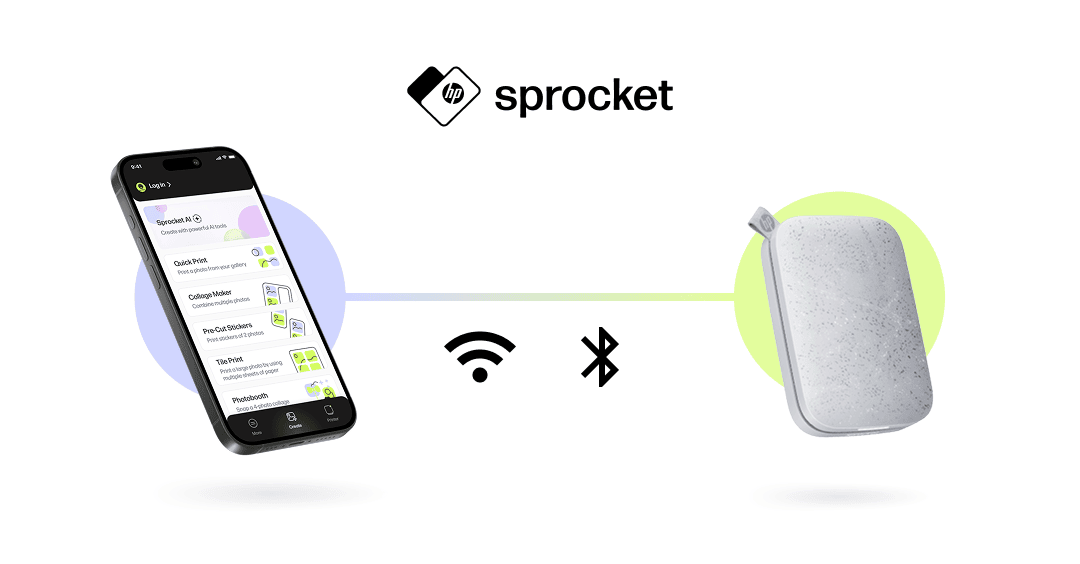
HP Sprocket is C+A Global's flagship line of compact, inkless photo printers, paired with a mobile app on iOS and Android. The app enables users to connect to their printer via Bluetooth or WiFi (depending on model), customize photos, and print directly from their phone.

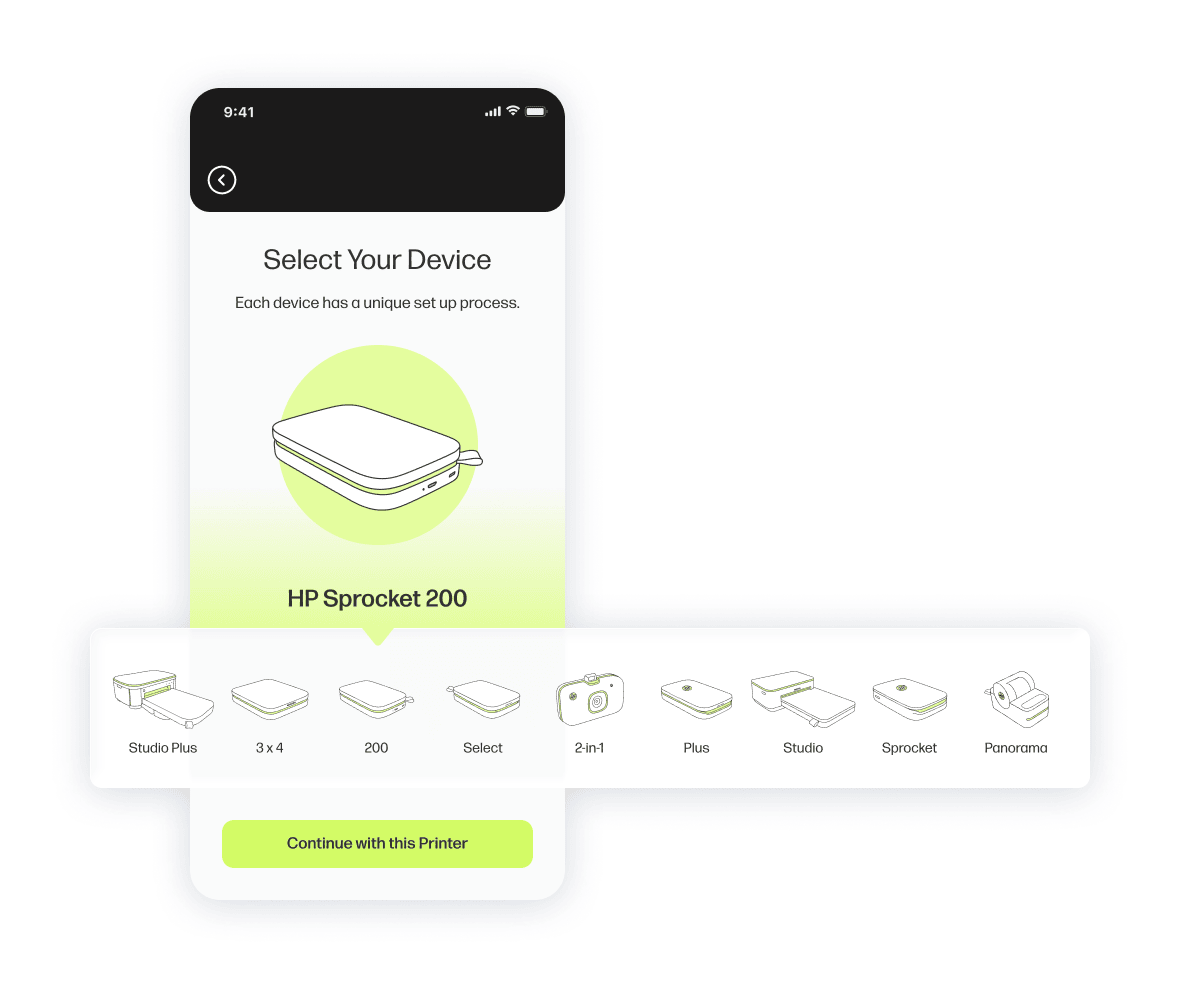
I led a full UX/UI overhaul of the Sprocket mobile app: modernizing its visual design, simplifying navigation, introducing AI-powered creative tools, and re-architecting flows to scale across eight different printer models. As of December 2024, the Sprocket product line has sold 500K+ units, making scalability, consistency, and reliability critical design requirements.
The Problems
  • Outdated and inconsistent visual design, giving the Sprocket brand an unprofessional look.
  • Friction between creative workflows and device management, inconveniencing the user when they need to adjust device settings right before printing.
  • Confusing printing modes, amplified by the fact that not all modes are available on all printer models.
The Goals
Business Goals:
  • Modernize the app’s UX and UI.
  • Support all existing and future Sprocket printer models.
  • Add new features for marketing purposes.
User Goals:
  • Print photos quickly and confidently.
  • Understand printer status at all times.
  • Explore creative features without relearning the app.
The Constraints
  • 8 printer models with different capabilities.
  • Bluetooth vs. WiFi behavior differences.
SECTION 1
Navigation Redesign
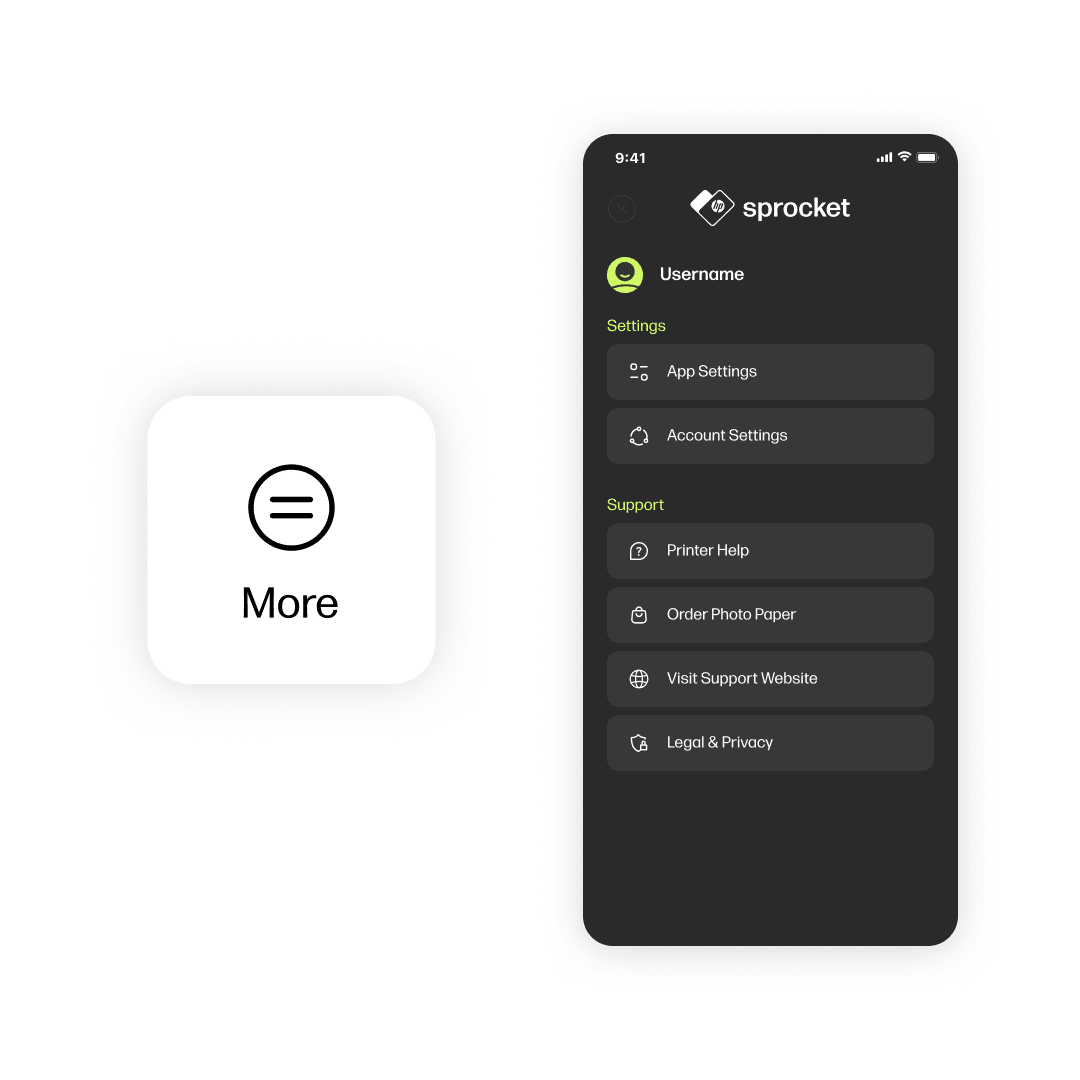
A major source of confusion in the legacy app was navigation. Printing, editing, and device management were tightly interwoven, making it difficult for users to understand where they were or how to switch tasks.
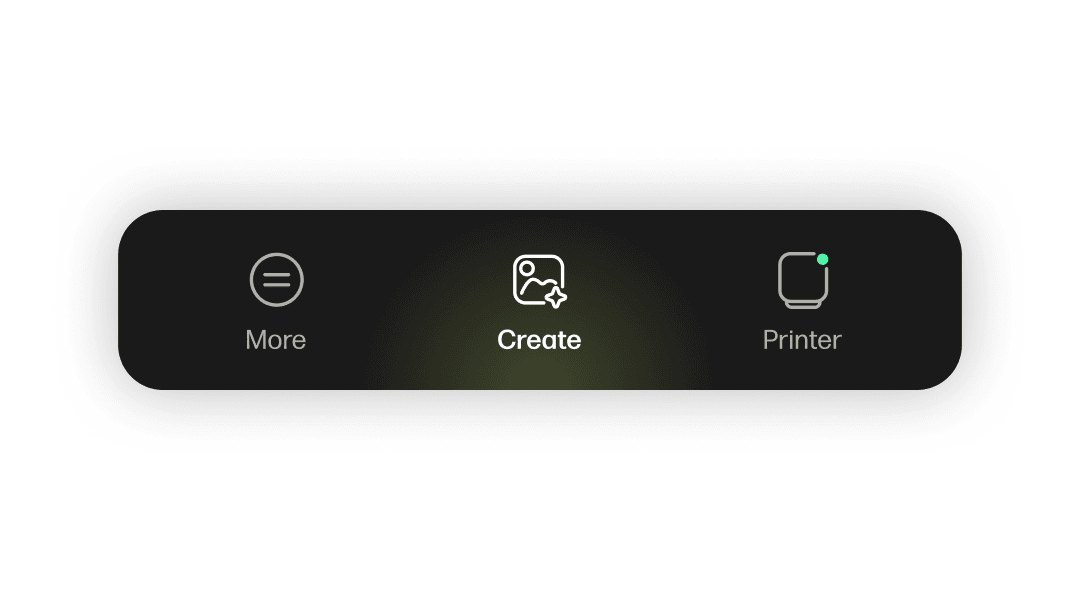
Solution: Persistent Bottom Navigation
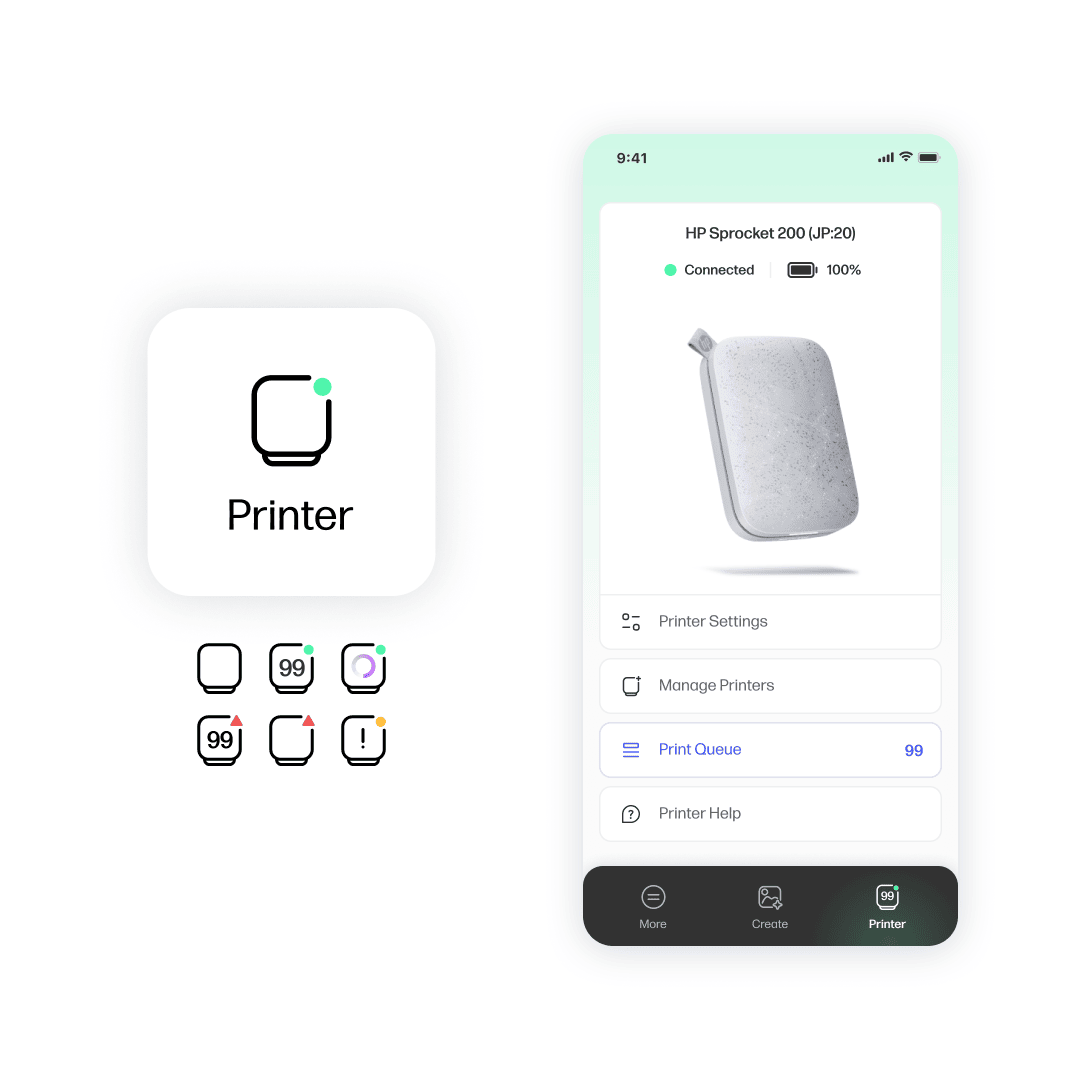
Printer Tab
  • Device connection and pairing
  • Printer status and error states
  • Print queue management
  • Model-specific settings
By isolating hardware concerns here, users can troubleshoot without disrupting their creative flow.

This tab's icon also updates in real time to allow users to understand their printer's status at a quick glance without having to switch tabs.
SECTION 2
Create Experience
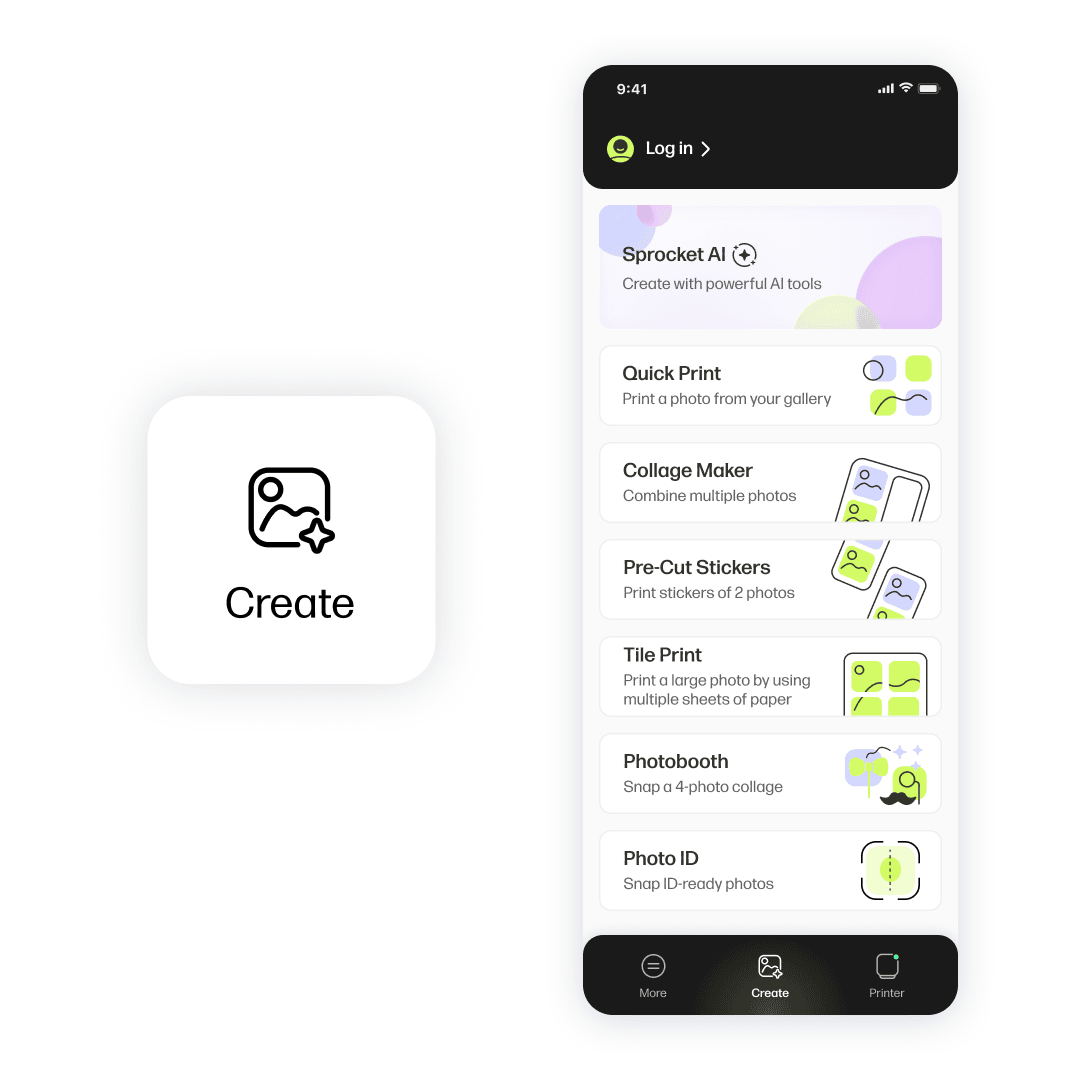
The Create tab supports multiple printing modes, each with unique requirements and outputs. A key challenge was ensuring that these modes felt distinct—but familiar.
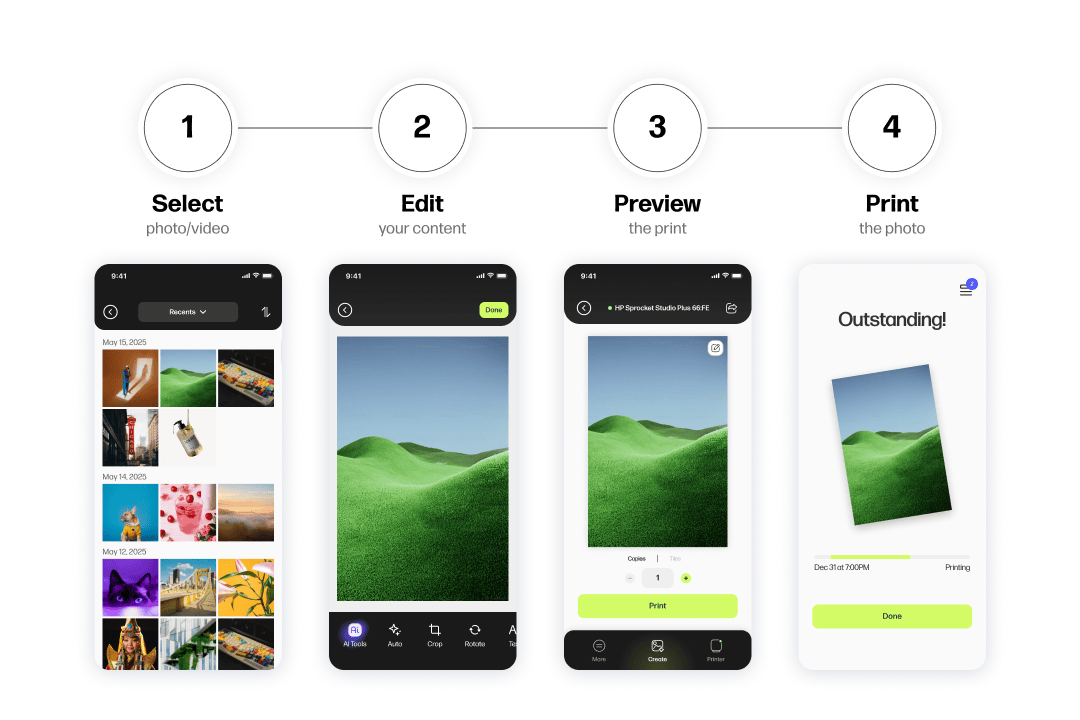
Shared Core Flow
All printing modes follow a consistent structure: Select, Edit, Preview, Print.
Each mode layers in only the steps required for its specific output.

The Outcome? Users don’t have to relearn the app when trying new features.
Fixing Confusing Flows
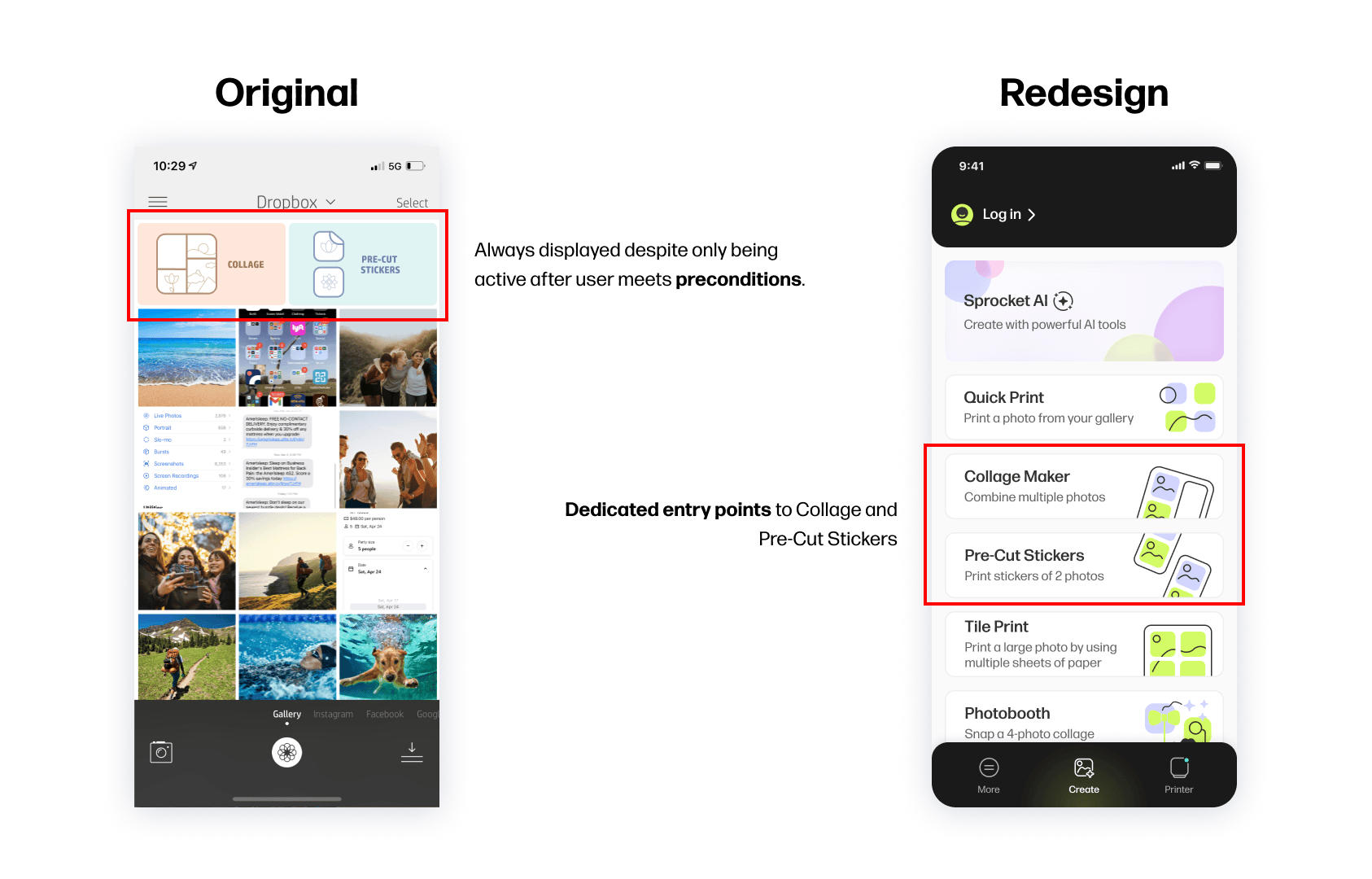
In the previous app, features like Collage and Pre-Cut Stickers were confusing:
  • They were accessed through the standard photo gallery.
  • Users must enter select mode and choose multiple photos before they can actually use these buttons.
  • The features were only available on certain printer models, but there was no indication of this in the app.
Redesign principle: If a feature requires explanation, the interface—not a toast—should do the explaining.
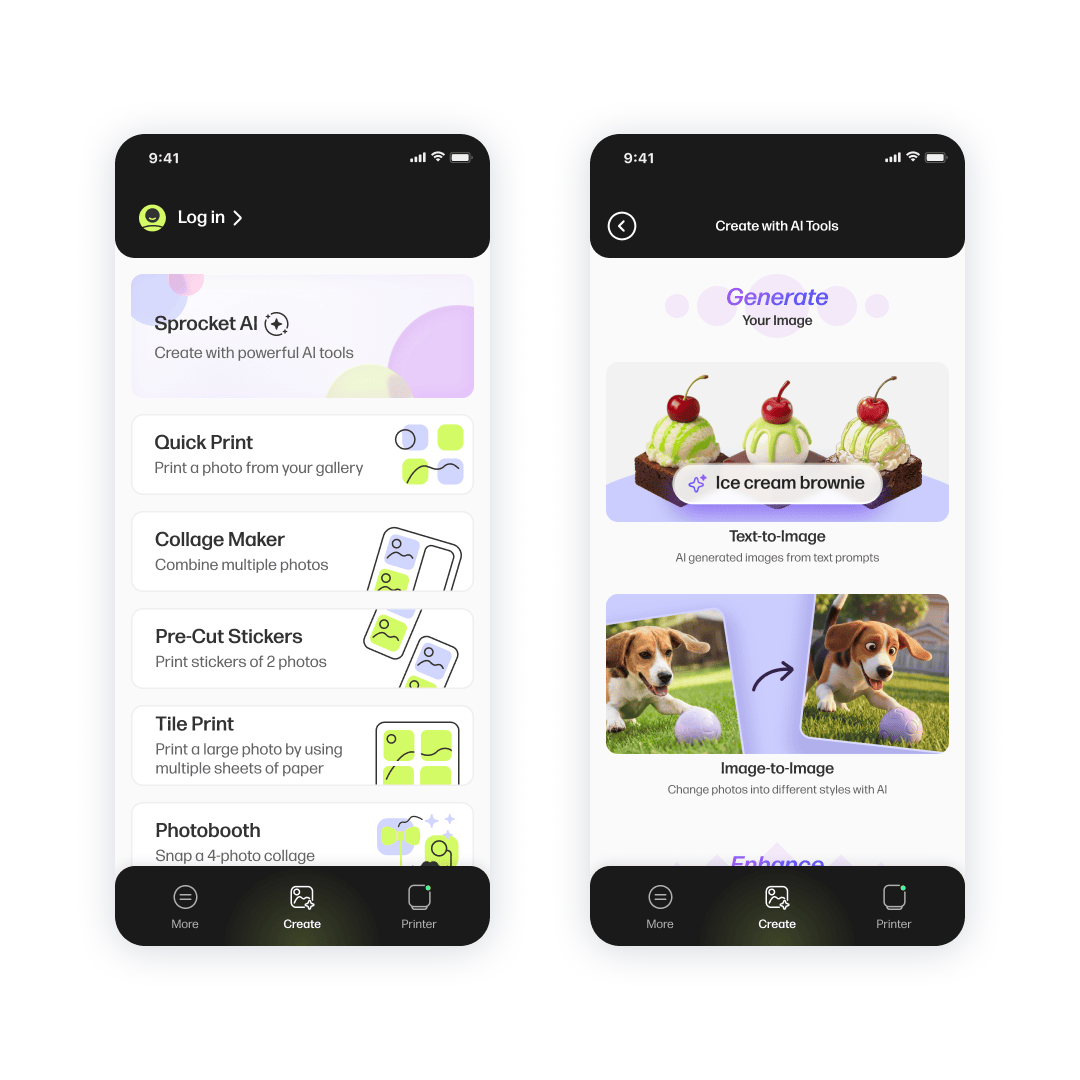
  • Each printing mode now has a clear entry point in the Create tab
  • Each launches into a dedicated, mode-specific flow
  • Instructions and guidance are embedded directly in the UI
SECTION 3
Implementing AI
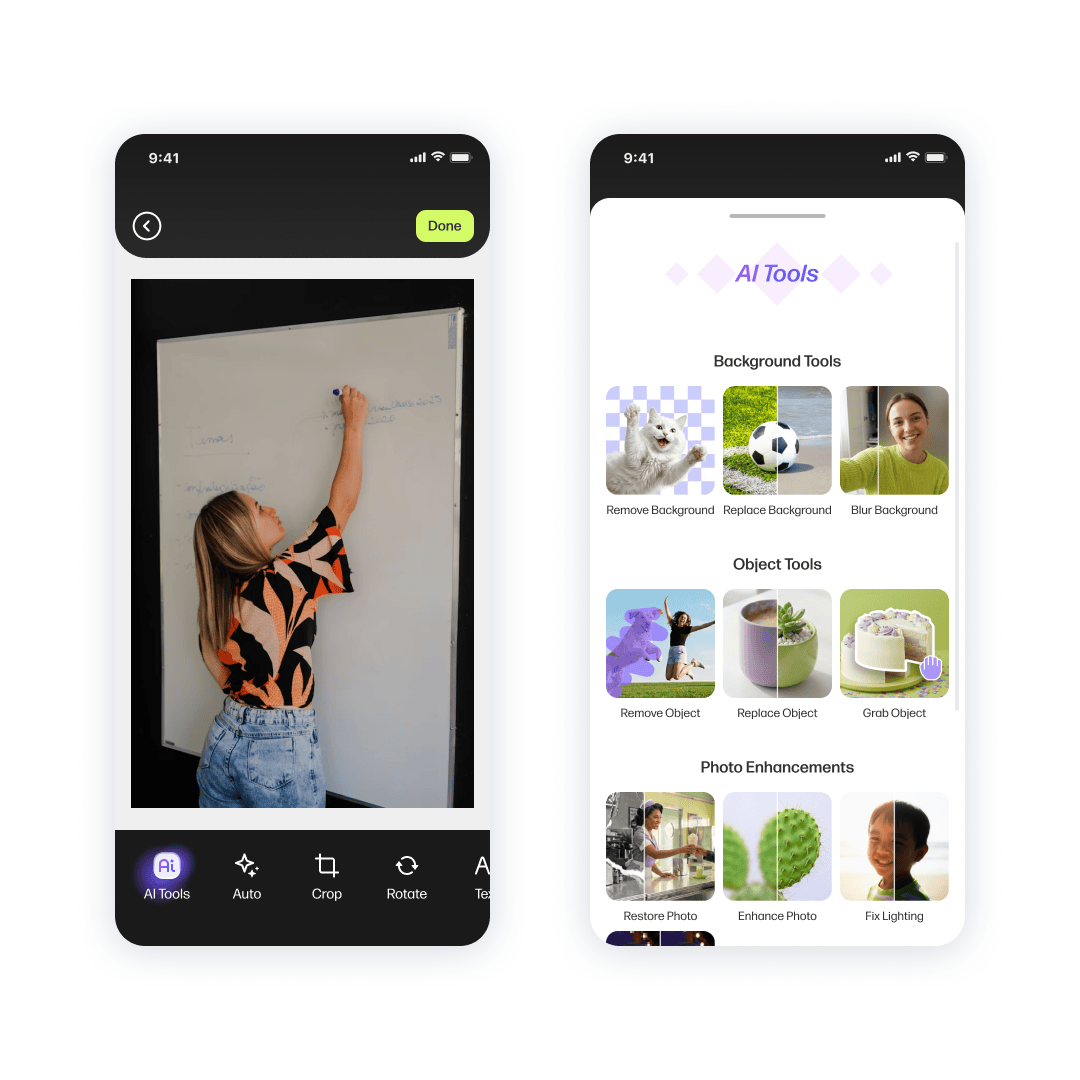
The redesign introduced 17 AI-powered editing and generation tools, expanding creative possibilities while keeping the experience approachable.
AI Discoverability & Visual Language
To make AI feel modern without being pushy:
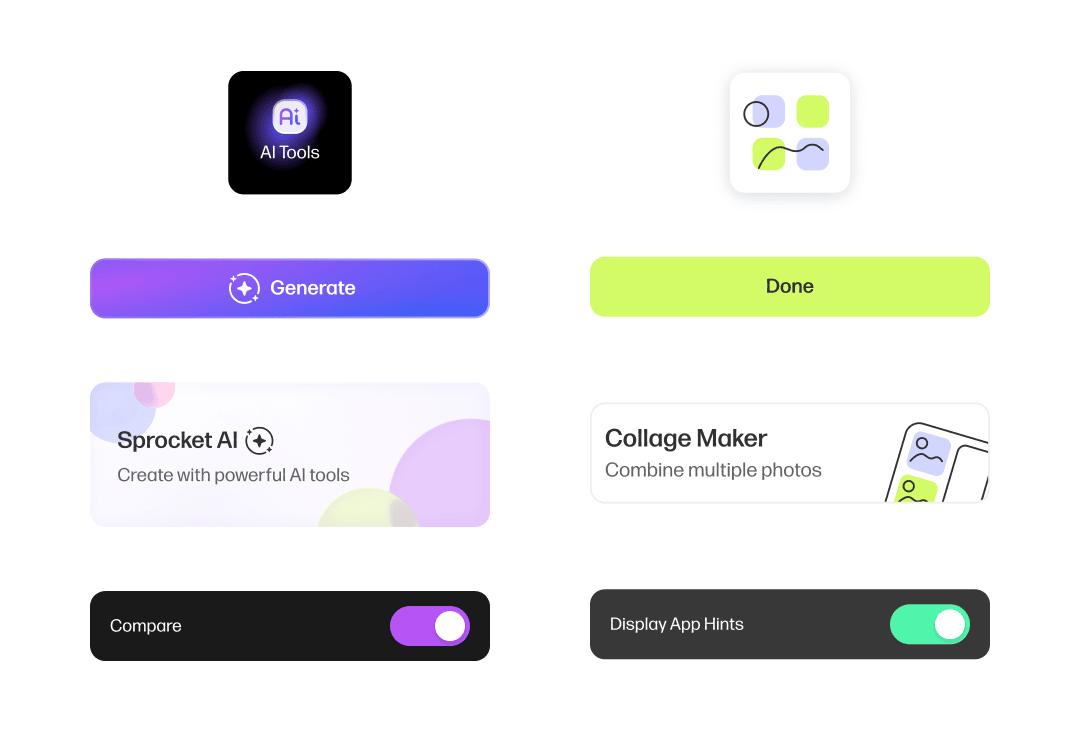
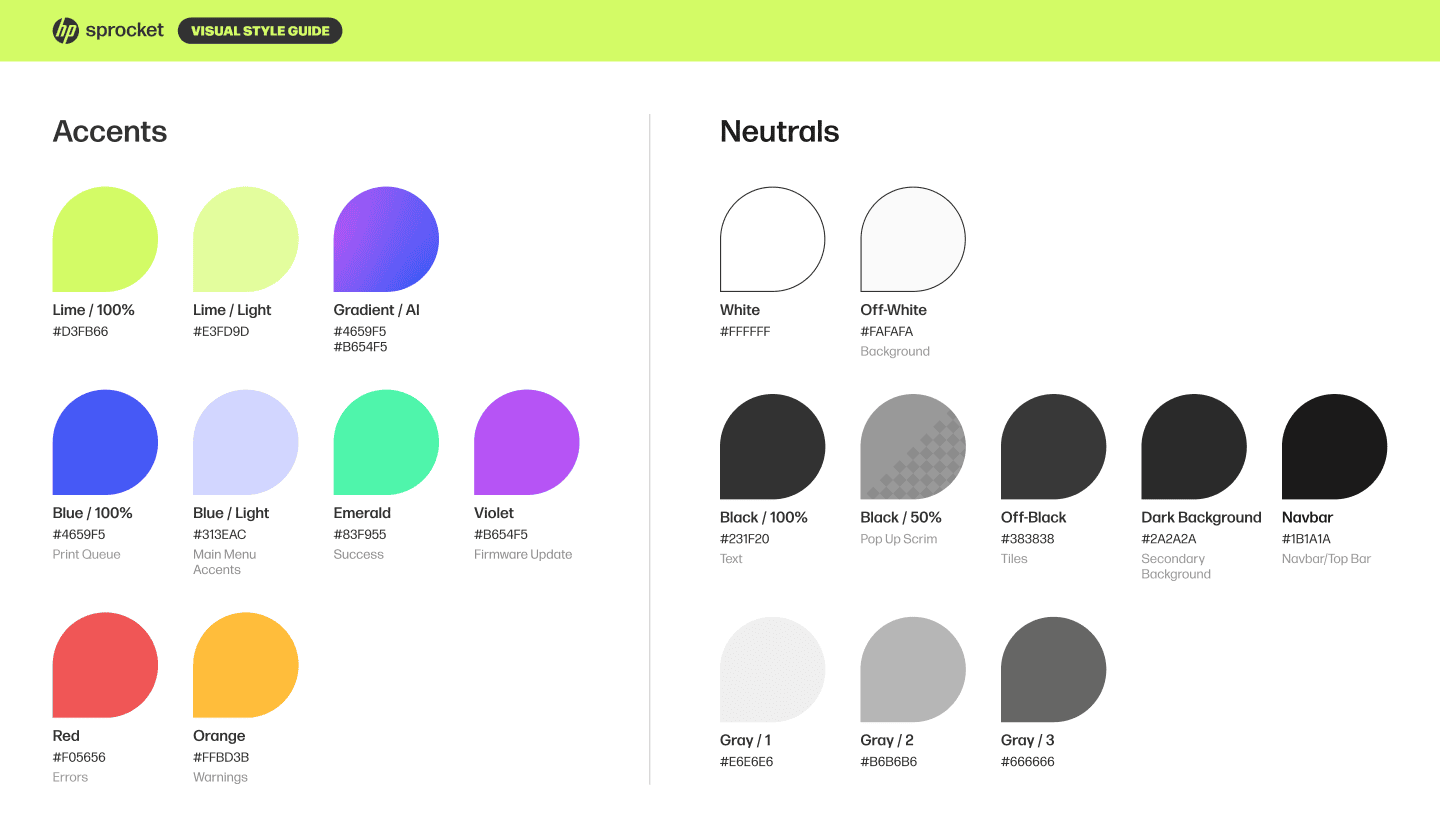
  • AI features use purple–blue gradient accents
  • Contrasts with the app’s primary lime green palette
  • Consistent treatment across entry points
This makes AI easy to recognize and visually distinct without dominating the UI.
SECTION 4
Visual Redesign
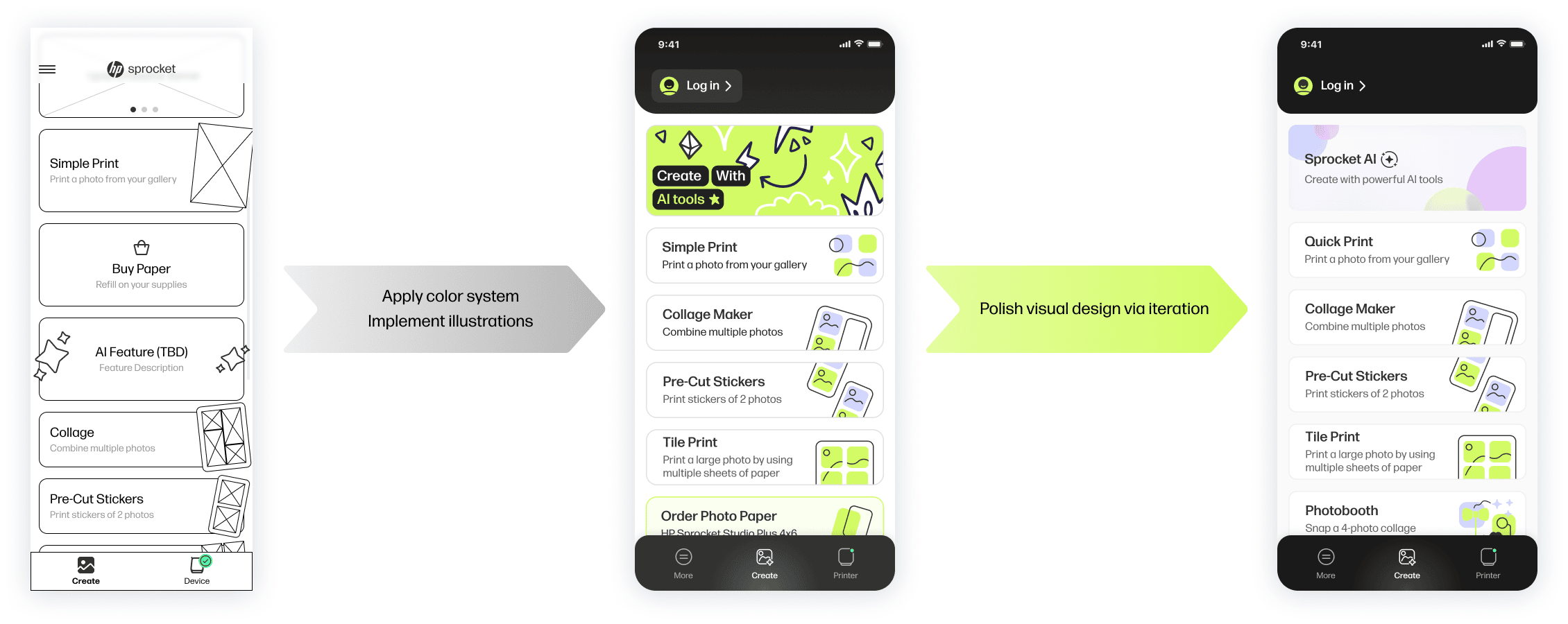
Collaboration Process
To support the overhaul, we partnered with an external design agency to define a new visual language.
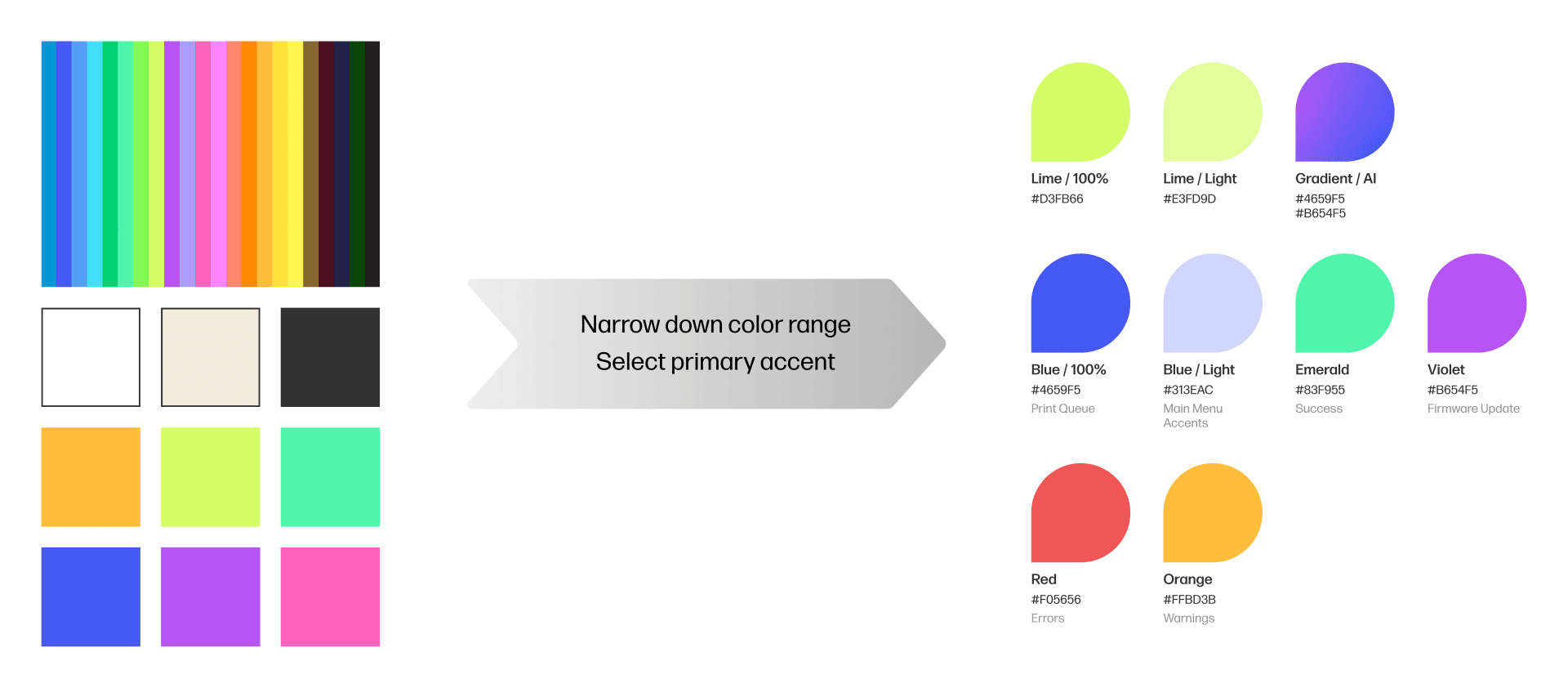
We provided: Low fidelity wireframes and a vision for the visuals.
They returned: Multiple concepts for the final visuals.

We continued to iterate on the selected visual direction until we were satisfied with the new look of Sprocket.
To prevent fragmentation:
  • Core flows were shared across models
  • Conditional logic handled model-specific behavior
  • Components supported dynamic states
This allowed:
  • New printers to be added without redesigning the app
  • Legacy models to remain supported without bloating the UI
SECTION 5
Conclusion
Reflection
At the beginning of this project, I took initiative to take lead on this redesign and it was an excellent opportunity to showcase everything I've learned in the past few years as a UX designer.

With full control of the processes behind this project, I followed some principles:
  • Ensured that the Figma workspace was organized.
  • 90% of the assets used were made into modular components for efficient and consistent editing.
  • Consistently communicated with the developers and other teams involved.
Future Proofing
Using this redesign as clean slate, I took the opportunity to create a design space that is malleable and manageable in the long term. Due to the highly volatile nature of the company's vision of their products, a huge number of changes can be demanded at any time. Previous projects of the company failed to adhere to good design space organization, which led to delays all across the board.
Reach me at shwang0209@gmail.com